Why Your Home Address Is Personal Information Too
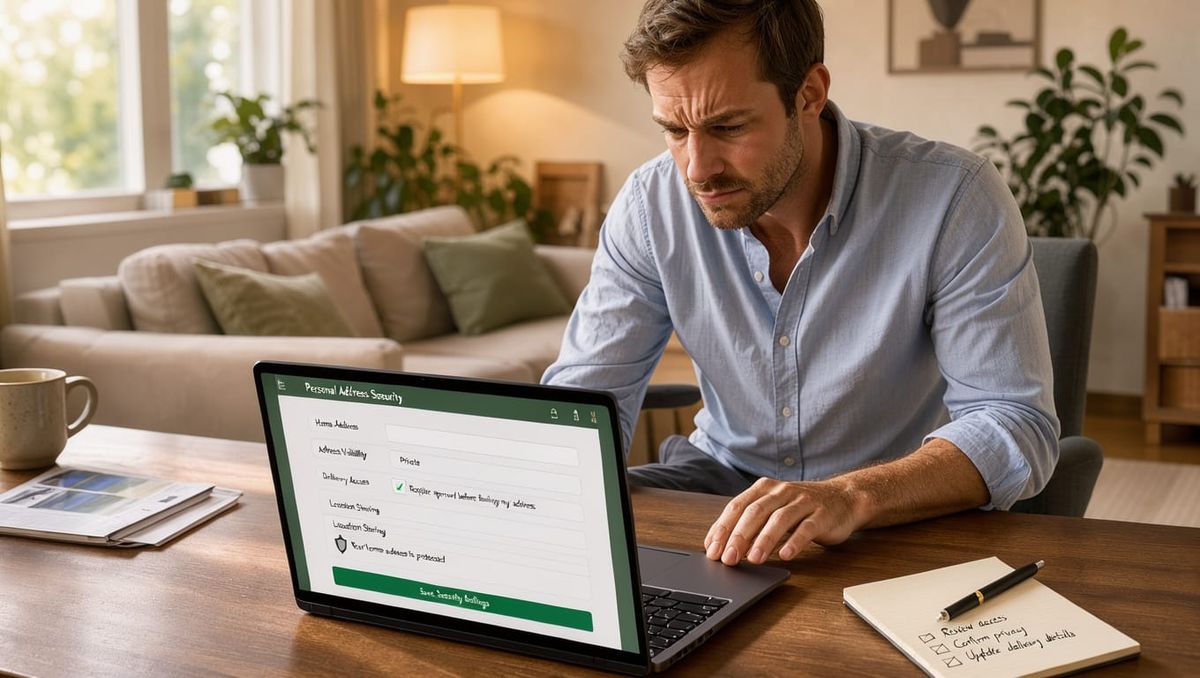
Our home address is personal information because it can identify where we live and connect us to other details about our lives. What could someone learn by pairing it with a name, a phone number, or a delivery schedule? Personal address security matters because identity exposure can affect both online privacy and household safety. We can take practical steps to limit unnecessary sharing and make our homes safer, but no single step removes every risk. A useful first step is to treat the address as personal whenever we decide where and why to share it.
Key Takeaways
- Our address can connect us to our home and other personal details.
- Search for our name and home city to check for public listings.
- Read a privacy notice before sharing an address online.
- Check doors, windows, and digital access as part of home safety.
- Plan for deliveries and mail when we will be away or moving.
Why our home address is personal information
A name alone may point to many people, but pairing it with a street address can make the person and household much easier to identify. Context matters: a phone number, workplace, or family detail can narrow the match further. An address is personal information even when it is not classed as sensitive by itself.

Discover Flexible Ways To Manage Your Physical Mail and Mailing Address
How an address can identify us when combined with other details
For example, a name paired with a street address and phone number can point to one household. That link may reveal where we sleep, who lives with us, or which places we visit nearby. A home address can also help someone match our identity across records and websites.
Personally identifiable information, or PII, is information that identifies a person or can be linked to them, such as a home address. One detail can become more revealing when combined with other details. A home address may seem ordinary on its own, but the link to a named person makes it useful for identification.
Where personal information, PII, and sensitive information differ
Personal information is a broad term for details about a person. PII describes information that identifies someone or can be connected to them. Sensitive information is a narrower category that may receive added legal protection, such as precise location data.
Legal definitions and protections differ by jurisdiction. In 2026, 24 states had comprehensive consumer privacy laws when Florida’s narrow-scope law was included in the count. Six states, including California and Texas, required data broker registration that year.
We should not assume an address gets the same legal protection everywhere.
In 2026, Connecticut and Virginia barred the sale of precise geolocation information, regardless of consumer consent. New Jersey barred the sale of sensitive data even with consent. These rules do not make every home address a sensitive category.
Check the privacy rules that apply where we live before assuming that every state treats an address the same way.
Personal address security starts with an exposure check
A search for our name and home city can reveal whether an address is exposed in Google Search or a people-search listing. Start with what appears publicly, then decide which listings need attention. Removing a Search result does not erase the information from the page that hosts it.

Discover Flexible Ways To Manage Your Physical Mail and Mailing Address
Find our home address with Google’s Results about you
Google’s Results about you can monitor a home address and other contact details. Availability is rolling out to users over 18 in certain markets. If the tool is available to us, we can enter details and review the matches it finds.
We can use this short check to spot eligible results and decide what to do next:
- Enter our name and home address in Results about you.
- Review matched results and confirm which ones expose our details.
- Submit a removal request for eligible results.
We can set notifications in the tool to learn when new matches appear. One request can cover multiple contact details shown on the same URL. Google may refuse a request when a result has public value, such as a government, news, educational, or business page.
Request search-result removal and understand its limits
Search-result removal and source deletion are separate steps. Removing a result from Google Search can make it harder to find, but the original page may still show the address. We can ask the website hosting that page to remove the information.
People-search sites may also offer their own opt-out forms. A Whitepages opt-out asks for a profile URL. Its automated process also requires a phone number and agreement to its Terms of Service.
Whitepages says California opt-outs may take up to 15 days to process, and customer-service replies may take up to two business days. It says a completed request removes known connected listings and that it will not sell the requester’s information. Keep the profile URL handy before starting the form.
California deletion rights do not cover public information such as government property records, street addresses, and criminal records. In 2026, California residents could use the free California DROP deletion platform to ask data brokers to delete and not sell their personal information. One request could reach more than 600 registered brokers.
Residents had to verify California residency, but did not need a California Identity Gateway account. Starting August 1, 2026, brokers must check DROP at least once every 45 days to begin processing requests. Status updates may take up to 90 days. Brokers that fail to delete data as required may face a $200 fine per request for each day of failure.
If a search result remains after its removal from Search, contact the website that hosts the original page.
Share our address only for a clear purpose
Before entering a home address, we can check whether the form explains why it needs that information and how it will use it. Clear reasons matter, especially when a service asks for details beyond what we need to use it. If a requested detail is not needed, pause and ask why the site collects it.

Discover Flexible Ways To Manage Your Physical Mail and Mailing Address
Read the privacy notice before submitting personal information
A privacy notice should say what information a site collects, why it needs it, and how it will use it. The U.S. Department of State does not require visitors to register or provide personal information just to browse its website. When visitors submit PII through a form or email, the department uses it for the stated purpose.
A separate privacy notice explains the reason for collecting information and its intended use. The department’s website policy names the Privacy Act of 1974, the E-Government Act of 2002, and the Federal Records Act. Those laws are relevant to how the department handles information on its site.
Use secure forms instead of sending sensitive details by email
Use a secure web form when one is available for sensitive information. Ordinary email may not be secure against interception, so it is a poor choice for Social Security numbers or financial details. A message can also last: emails that qualify as Federal records follow the applicable records-retention schedules.
If a form does not explain why it needs our address, we can contact the organization before submitting it. We should also check that the form belongs to the service we intend to use. A familiar logo alone does not show who will receive our details.
Review the privacy policies of third-party websites
Third-party websites and applications have their own privacy policies. A policy can explain how a service collects and uses information, including details entered on its forms. We should read it before sharing an address with a site outside the organization we first contacted.
Cookies can support a session while a browser stays open or remember preferences later. Session cookies last only while the browser is open; persistent cookies remain on a device. Keep Social Security numbers and financial details out of ordinary email when a secure submission method is available.
Complete a home security assessment around the property
A home security check should begin at the doors and windows that are easiest to reach from outside. Start with likely entry points, then look at what someone can see from the street. Grade 1 is the highest security grade for ANSI/BHMA residential locks.
Use door and window reinforcement where access is easiest
Check the main entry door, its strike plate, and the deadbolt. A weak strike plate or loose screws can leave a strong lock with a weak point. ANSI/BHMA residential lock grades run from Grade 1 to Grade 3, with Grade 1 the highest security grade.
Also check accessible windows, especially those near a porch, fence, or low roof. Confirm that each window closes and locks as intended. A home security assessment should focus first on openings someone could reach without crossing a busy or visible area.
Apply privacy film to reduce visibility into the home
Frosted privacy film softens the view through a window while letting in light. Reflective film can reduce views from outside in bright conditions, but its effect may change at night when interior lights are on. Neither kind replaces curtains or blinds when we need full privacy.
Google also lets homeowners and tenants request a permanent Street View blur of their home. Applicants need proof of address. A utility bill or bank statement must be dated within six months of the request, while a lease may be older.
Proof documents must be under 10MB and in PNG, JPG, or PDF format. Google permanently deletes the proof-of-address documents from its systems after 60 days. This online step changes the Street View image, not the view from a real street.
Set up smart locks without losing track of access
Smart locks can use access codes or app-based access, so we should keep track of who can enter. Give each person only the access they need, and remove codes or app access when that need ends. Short access lists are easier to manage than shared codes used by many people.
Review who can still enter through a digital lock and remove access that is no longer needed.
Reduce delivery and entry risks tied to our address
A package left outside can signal an absence, so we should decide in advance where deliveries can be left safely. A delivery plan helps keep boxes out of view and away from an empty doorway. Choose a collection option before the package arrives.
Build a package theft prevention routine
We can use one or more of these options to lower the chance of a package sitting outside:
- Schedule deliveries for times when someone is home.
- Choose a secure delivery location when the carrier offers one.
- Ask a trusted person to collect packages soon after delivery.
USPS Hold Mail can pause delivery for 3-30 days while we are away. It suits a temporary absence, not a move to a new home. The USPS mailing hints explain available mail holds and other delivery options.
Include emergency access planning in our security steps
Emergency access planning means a trusted contact knows how to reach us and what steps to take if urgent access is needed. Share clear instructions, such as where to find a spare key or how to reach another person with access. Keep emergency contacts current when phone numbers or living arrangements change.
Call 911 for an emergency in the United States. Use a local non-emergency number for concerns that do not need an immediate emergency response. A trusted contact should know which number fits the situation.
Make sure a trusted contact knows how to reach us and what to do if urgent access is needed.
Use address alternatives when sharing the home address is unnecessary
If we need to keep a residential address private, an address confidentiality program may provide an alternative for some eligible situations. These programs are state-specific, so rules and access differ. We should check eligibility before relying on a program as our mailing address.
Check whether an address confidentiality program fits our situation
An address confidentiality program may help people whose safety concerns make it hard to share a home address. It is not available or suitable for everyone. We can look into the rules in our state and see whether the program fits our needs before using an alternate address.
Programs may have specific eligibility rules and ways to receive mail. We should understand how an alternate address works for the services we use. Do not assume every sender will accept it, especially when a form asks for a residential address.
Use mail forwarding to limit exposure during a move
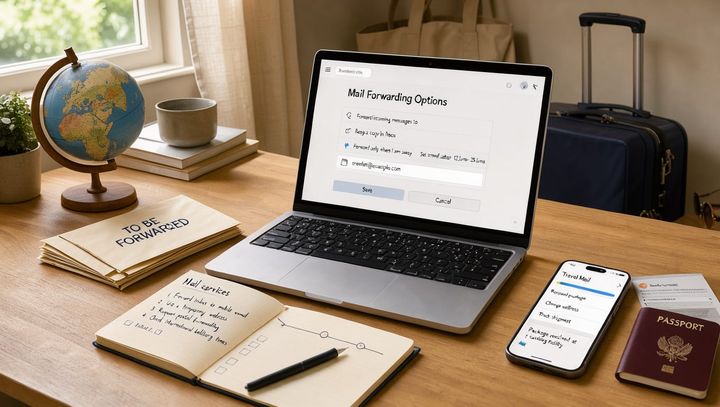
For a move, a USPS change-of-address order can forward eligible mail to our new address. In 2026, USPS required identity verification. Online verification cost $1.25, and the payment card’s billing address had to match the old or new address.
An approved order took at least 7-10 business days to take effect. Standard forwarding lasted 12 months, with paid extensions of 6, 12, or 18 more months. The maximum extension was 18 months.
USPS sends a Move Validation letter to the old address and a Customer Notification Letter to the new address about five business days before forwarding begins. A security review could temporarily suspend access to Informed Delivery services.
Forwarding does not update every account or guarantee that sensitive mail will reach us.
We must notify government agencies, companies, and other senders separately. Sensitive identity, financial, or medical information might not be forwarded. Contact banks, government agencies, and other important senders directly rather than relying on forwarding for sensitive mail.
Conclusion
We do not have to eliminate every trace of our home address to make sharing it more deliberate. We can reduce unnecessary disclosure and make a manageable first check of where our information appears. Those choices support personal privacy while helping us protect household safety.
Search our name with our home city today. Review one result, then decide whether to request removal or contact the site hosting it. Set aside a few minutes today to check one place where our address may appear and choose one practical action.
FAQ
Can Google remove a home address from every website?
No, an approved Google Search removal does not erase the original source page. It changes whether that result appears in Search, while the website may still display the address. Contact the site hosting the information and ask it to remove the page or address. If the site keeps the information, the page may remain available through other ways to find it.
Why might Google refuse to remove a search result with my address?
Google may keep a result when the page has public value. Government, educational, newspaper, and business sites may not offer a removal option for an address. Search removal depends on the page and the request, so a listing that exposes personal details may still remain in results. We can contact the site itself to ask about changing the original page.
Does a data broker deletion request remove public property records?
No, California deletion rights exclude public information such as government property records, street addresses, and criminal records. A data broker request can still ask covered brokers to delete and not sell other personal information. Public records may remain available even after a broker processes the request, since deletion rights do not remove those records from government files.
What should I do if a bank or government agency sends mail to my old address?
Contact the bank or agency directly and give it our current mailing address. A USPS change-of-address order does not notify each sender, and sensitive financial or identity documents might not be forwarded. We should not assume an important notice reached us just because other mail arrived. Ask the sender to confirm the address on our account.
Can I use ordinary email to send sensitive personal information?
Ordinary email may be intercepted, so use a secure web form when one is available. U.S. mail may be another option when it fits the situation. Before sending details, check that the form or mailing address belongs to the organization that needs them. Avoid putting Social Security numbers or financial details in an ordinary email message.
How long can USPS Hold Mail pause delivery?
USPS Hold Mail can pause delivery for 3-30 days. It is for a temporary absence, not a move to a new address. For a move, a USPS change-of-address order forwards eligible mail, but we still need to tell important senders ourselves. Sensitive identity, financial, or medical documents may not be forwarded to the new address.
Discover Flexible Ways To Manage Your Physical Mail and Mailing Address
"Managing and protecting your physical mail is another important part of personal privacy. Learn how this fits into a bigger picture by exploring the 5 Pillars of Personal Protection."
Comments ()